Users can narrow down their query to only include epitopes tested in a specific clinical and/or immunological context using the ‘Cancer’ panel. A cancer type can be selected by typing it into the text box, where matching cancer types appear in the drop-down menu. In the ‘Disease Finder’, which can be accessed using the finder icon next to the text box, users can search for different cancer types by name or using Disease Ontology (DOID) (34755882.pdf (1.5 MB)) or the Ontology of Immune Epitopes (ONTIE)(22681406.pdf (596.8 KB)) identifiers. One can also explore the ‘Disease Tree’ to select cancer types of interest. In the cancer panel, users can also select a cancer stage they want to query from the drop-down menu. The cancers can further be narrowed down according to how the host was exposed, i.e., ‘Naturally occurring disease’ (e.g., occurrence of breast cancer), ‘Animal model of cancer’ (e.g., C57BL/6 or BALB/c), and ‘Vaccination’ (e.g., therapeutic vaccination with neoantigens or prophylactic vaccination against human papillomavirus (HPV)). In the example query in Figure 1, the ‘Type’ field was left blank to include all cancer types, and ‘Naturally occurring disease’ was selected to only include immune responses that occurred naturally without any intervention.
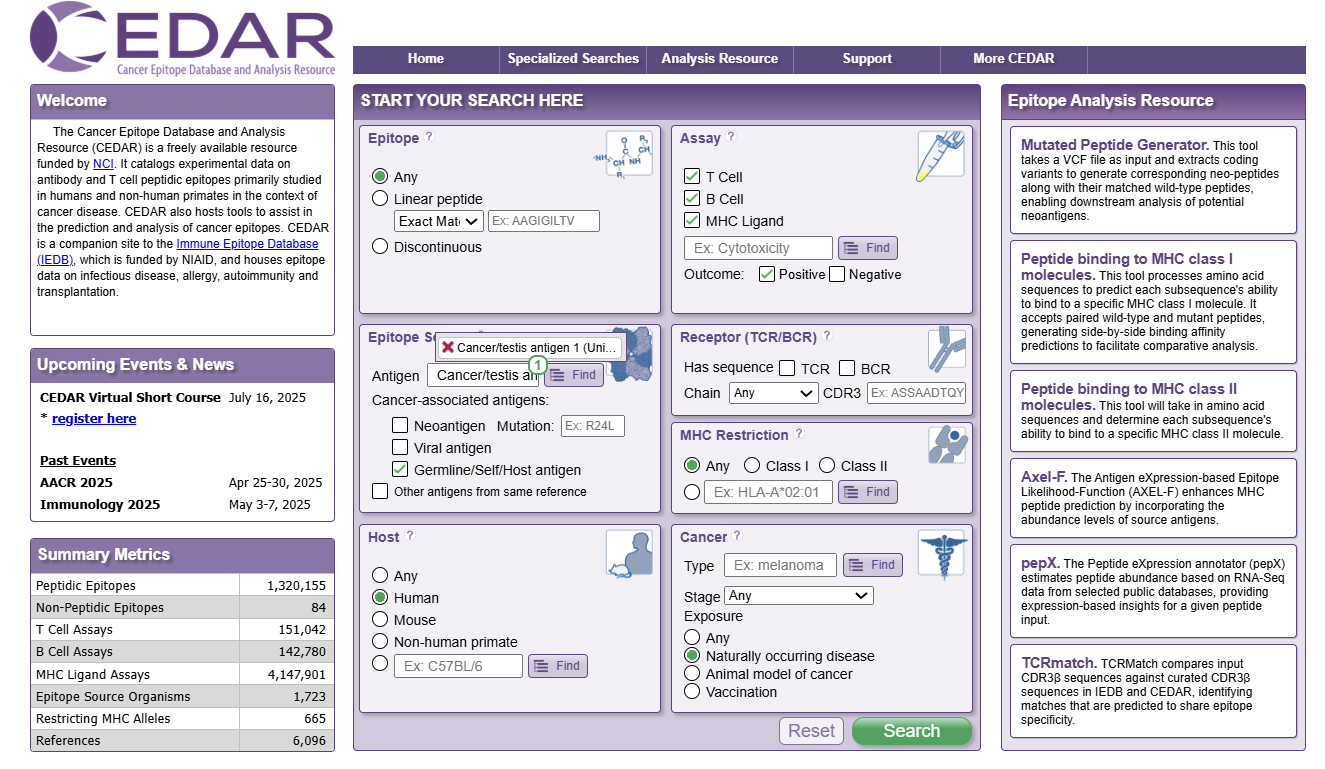
Figure 1. The Cancer panel on the CEDAR homepage